1
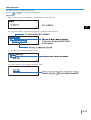
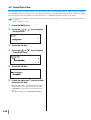
4.8 Paper Ejection
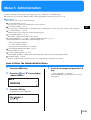
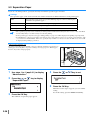
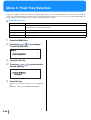
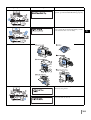
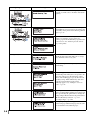
Sets the position and adjustment of the Eject Wing and the Auto Stacking Tray.
If an optional HC Finisher is connected, this menu is not displayed.
~ Settings
4.8.1
Eject Wing
4.8.2
Stack Guide
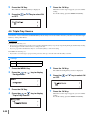
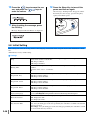
Adjusts the Eject Wing so that the position changes for proper paper arrangement when printed
paper is ejected.
Auto:
The Eject Wing is automatically adjusted to optimum position based on
the type and size of paper.
Special:
The Eject Wing can be set according to special paper. For details, contact
your local dealer (or service representative).
2
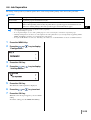
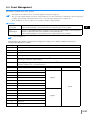
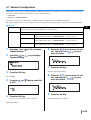
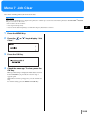
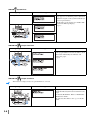
Selects the method of adjusting the positions of the Side Guides and the End Guide.
Auto:
The positions of the Side Guides and the End Guide are automatically
adjusted according to the type, size, and orientation of paper.
Adjusted Position:
Since the guides of the Auto Stacking Tray move automatically according
to the paper size, the set positions cannot be changed by hand. Use this setting when a little wider (narrower) space is desired depending on the
paper. Set the positions in 4.8.3.
OFF:
The Stack Guides are not adjustable. If paper of larger than 320mm × 432
mm (125/8" × 17")is used for printing, set "OFF" and fold the Stack Guide.
4.8.3
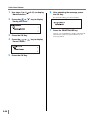
Stack Guide Adjust
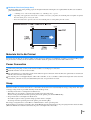
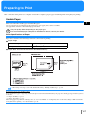
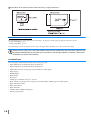
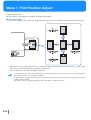
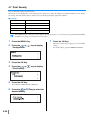
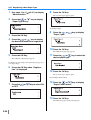
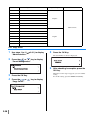
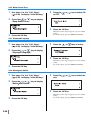
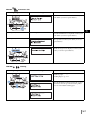
The positions of the Side Guides and End Guide can be specified in 1 mm (0.04") increments when
"Adjusted Position" is selected in "4.8.2 Stack Guide."
Side Guides: -20 (narrower) mm to +20 (wider) mm (-13/16"(narrower) to +13/16"(wider)) than
paper size
End Guide: -20 (to left) mm to +20 (to right) mm (-13/16"(to left) to +13/16"(to right)) from paper size
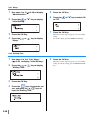
4.8.4
Shifting Guide
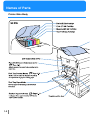
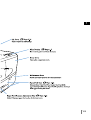
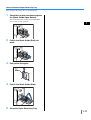
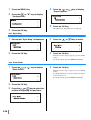
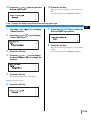
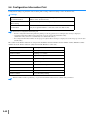
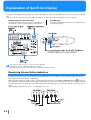
When printing is complete, if you press the Stack Guide Open Button, the Stack Guides move outward to allow easy removal of prints. The guides to be moved at this time are specified.
For the Stack Guide Open Button, refer to )p.1-4.
End Guide: Only the End Guide moves outward.
Side Guides: Only the Side Guides move outward.
End and Side Guides: Both the End Guide and Side Guides move outward.
z If "Auto" or "OFF" has been selected in "4.8.2 Stack Guide," when "4.8.3 Stack Guide Adjust" is selected, the setting of
"4.8.2 Stack Guide" is changed to "Adjusted Position."
z The setting of "4.8.3 Stack Guide Adjust" is cancelled and changed to "Auto" in the following cases.
•
•
•
•
The power is turned off and then on again.
The printer is activated from the sleep or stand-by mode.
Another paper size is selected that is different from what you set on the "Stack Guide Adjust".
"Auto" is selected for "4.8.2 Stack Guide."
2-25