1
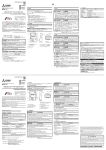
Appendix 7.2 Methods for disabling the warning messages ● The user account control (UAC) function prevents a crash (e.g. prevention of startup of a program which executes unintended operation). Before setting this function, grasp that the security function offered by UAC is disabled and fully understand the risk. The following two methods are available for disabling a warning message. (1) Disabling the user account control function The following shows a procedure for disabling the user account control function. (a) When using Windows Vista® Operating procedure To the next page 166 1. Select [Start] [Control Panel]. 2. Select [User Accounts].