1
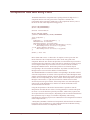
connection is available, the help system will be unable to display the information
unless the web server is running on the current machine or the URL refers to a local
file.
Constraint Manager
GME 2000 includes an integrated Constraint Manager (CM) component. The task of
the CM is to enforce the constraints that the given paradigm contains. All the
constraints are checked when the user initiates constraint checking through the File
menu or the toolbar. The Check item and the checkmark looking toolbar button
checks all the constraint that correspond to the current model (i.e. the one being
shown in the currently active window). The Check All item makes the CM check all
the constraints for all the objects in the project.
Constraints can also be associated with one or more events, such as Attribute
Change, Close Model etc. When this events occur, the CM checks all the constraints
that are registered for the given event for the object that caused the event.
Each constraint has a priority. The priority controls the order of constraint
evaluation. Higher priority constraints are checked first. The priority also controls
what action is taken if a constraint is violated. If the priority is the highest (1) then an
error message is displayed and the current transaction is aborted. In other words the
operation that caused the violation is aborted, the models remain consistent with the
constraint. If the priority is smaller (i.e. greater than 1), the user gets a warning
message and she can choose to continue evaluating constraints, skip the remaining
constraint or abort the transaction.
Constraints are specified as part of the meta representation. The constraint
specification contains the constraint equation written in MCL, a language based on
the Object Constraint Language (OCL), the priority, a short description of the
constraint that is displayed as part of the error/warning message in case of a
violation. For a detailed description of MCL, see Appendix B.
Generic Modeling Environment User's Manual
Using GME 2000 • 29