1
Software Installation and Configuration
Installing the Device Driver Software
After you have installed your new Aurora hardware, follow the device driver software installation procedures in the Driver Release Note to install the driver.
You only need to install the driver once, even if you are installing more than one
Apollo Multiport serial card. One device driver can support up to sixteen serial
cards.
After you have installed the driver software, proceed with the setup and configuration procedures that follow in this chapter.
Free Driver and Release Note Downloads
You can download the latest versions of all Aurora drivers and release notes from
the Aurora Technologies web site, www.auroratech.com. Use the following
procedure
To download from the Aurora web site
1.
Using your favorite browser, go to www.auroratech.com.
2.
Click on Support.
3.
Click on Drivers.
4.
Follow the instructions provided on the displayed web page.
Asynchronous Device File Names
Each serial port connected to terminals, modems, etc., needs to be identified by one
or more device files, depending on the intended use of the port. Device file naming
conventions vary, depending on the device’s use.
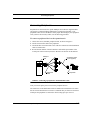
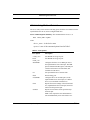
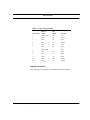
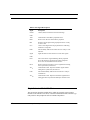
The system automatically creates Solaris device files for each new port on the Vanguard Multiport card. Table 4 shows the device files created for two four-port cards
installed on the same system.
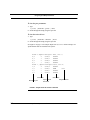
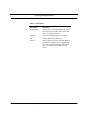
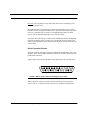
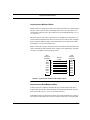
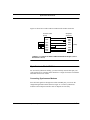
The format for device file names is defined as shown in Figure 3.
4-2
Apollo Multiport Controller User’s Guide