1
Chapter 3: Installation
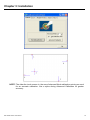
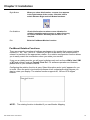
Click Clear Screen to clear the drawing.
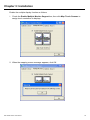
Multiple Monitors
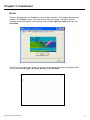
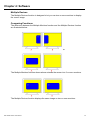
Multiple Monitors support from 2 to 6 touch screen displays for one system.
The PenMount drivers for Windows 2000/XP/Vista/7 support Multiple Monitors. This
function supports from 2 to 6 touch screen displays for one system. Each monitor requires
its own PenMount touch screen control board, either installed inside the display or in a
central unit. The PenMount control boards must be connected to the computer COM
ports via the RS-232 interface. Driver installation procedures are the same as for a
single monitor. Multiple Monitors support the following modes:
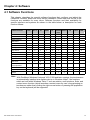
Windows Extends Monitor Function
Matrox DualHead Multi-Screen Function
nVidia nView Function
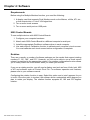
NOTE: The Multiple Monitor function is for use with multiple displays only. Do not use this
function if you have only one touch screen display. Please note once you turn on this
function the rotating function is disabled.
IMP-A080T/A100T User Manual
35