1
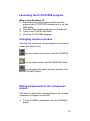
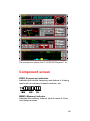
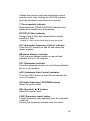
2) For the METER/SCAN component, click the
[METER] button.
3) For the MODE/VOL component, click the [MODE]
button.
4) For the BAND SCOPE component, click the
[SCOPE] button.
Changing the volume
Adjusting the volume to an optimum level.
1) When in the component screen, drag the [AF
GAIN] scroll bar knob to the right to increase the
volume and to the left to decrease the volume.
2) When in the radio screen, click the [AF UP] button
to increase the volume, click the [AF DOWN]
button to decrease the volume.
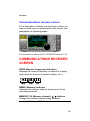
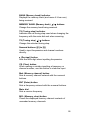
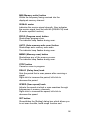
3) When in the communications receiver screen,
right-click on the [AF GAIN] knob to increase the
volume, left-click to decrease the volume.
Related item
Muting the receive volume
Setting a threshold receive signal level
for volume (SQUELCH)
The squelch function sets a minimum receive signal
level below which no audio is emitted from the
speaker. This conveniently prevents noise and static
from being emitted when receiving weak signals or no
signals at all. Two squelch methods are available as
listed below.
1) Setting a threshold for signals to be emitted
» Noise squelch
2) Setting a threshold for weak signals
» S-meter squelch
13