1
TV-IP672P / TV-IP672PI
TRENDnet User’s Guide
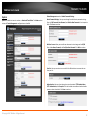
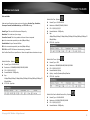
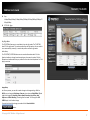
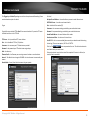
Under Automatic Time Configuration, click the Synchronize with NTP Server checkbox
if you wish to sync your W/WI with your NTP server. Click Apply to continue.
Under Set Date and Time Manually, click the Setup Date and Time Manually checkbox
if you wish to set the time by yourself. From the drop-down list on all settings, select
your time and click Apply to continue or click Copy Your Computer’s Time Settings.
Network
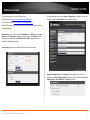
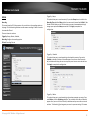
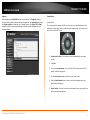
This screen shows the LAN Settings. If you didn’t set your LAN settings in the Setup
Wizard, you can set them up here.
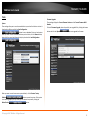
Under LAN Settings, select either DHCP Connection or Static IP Address. If you want to
setup PPPoE, click the PPPoE checkbox and enter the Username, Password, confirm the
Password and click Apply. The Status will change from Disabled to Enabled.
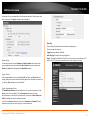
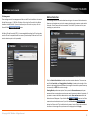
Under Port Settings, select the HTTP Port (80 is the default) and also select the RTSP
Port (554). Under UPnP, click the UPnP checkbox if you want to enable this function.
Click the UPnP Port Forwarding checkbox if you want to enable to set the ports. Select
the External HTTP port and select the RTSP port. If you are using a MAC check the
Bonjour checkbox to enable this function. Click Apply to set the changes.
© Copyright 2013 TRENDnet. All Rights Reserved.
14