1
Playing a disc (continued)
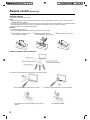
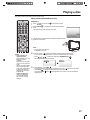
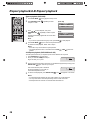
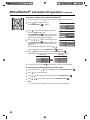
You can play discs at various speeds.
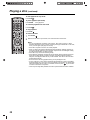
Playing in fast reverse or fast forward direction (DVD/VCD/Audio CD)
1
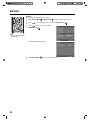
Press REV
/ FF
during playback.
• REV
: Fast reverse playback
• FF
: Fast forward playback
Each time you press REV
/ FF
, the playback speed changes.
2
To resume normal playback, press PLAY
.
Notes:
• The sound is muted during reverse and forward scan of DVD/VCD discs.
• The playback speed may differ depending on the disc.
You can use fast reverse/fast forward playback for MP3/DivX® CD.
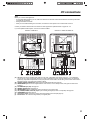
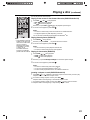
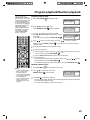
Playing frame by frame (DVD/VCD)
Note:
• The prohibition symbol “X”
appears on the upper right
corner of the screen when
you try to employ a
playback function that is
not available on the disc,
or that is not yet
accessible at this time.
This does not indicate a
problem with the TV/DVD.
1
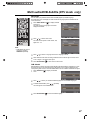
Press PAUSE
during playback.
Each time you press PAUSE
, the picture advances one frame.
2
To resume normal playback, press PLAY
.
Notes:
• You can use frame by frame playback for DivX® CD.
• The sound is muted during frame by frame playback.
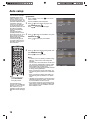
Playing in slow motion (DVD/VCD)
1
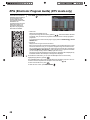
Press SLOW
during playback.
• SLOW
: Slow reverse playback
• SLOW
: Slow forward playback
2
3
Each time you press SLOW
/ SLOW
To resume normal playback, press PLAY
, the slow motion speed changes.
.
Notes:
• The sound is muted during slow-motion playback.
• You can use slow forward playback for DivX® CD.
• The slow reverse playback function is not available for DivX® CD.
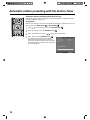
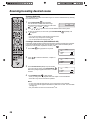
Locating a chapter or track (DVD/VCD/Audio CD)
1
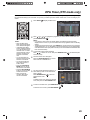
Press SKIP
repeatedly to access the chapter or track number you want to play.
Playback starts from the current chapter or track.
2
To locate succeeding chapters or tracks, press SKIP
.
Playback starts from the beginning of the selected chapter or track.
3
To locate the preceding chapter or track, press SKIP
twice in quick succession.
Playback starts from the beginning of the preceding chapter or track.
33