1
Linksys X1000
Advanced Configuration
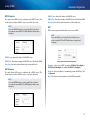
WPA2 Enterprise
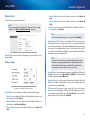
RADIUS Server Enter the IP address of the RADIUS server.
This option features WPA2 used in coordination with a RADIUS server. (This
should only be used when a RADIUS server is connected to the router.)
RADIUS Port Enter the port number of the RADIUS server. The default is 1812.
Note
If you select WPA2 Enterprise as your Security Mode, each device
in your wireless network MUST use WPA2 Enterprise and the same
shared key.
Shared Key Enter the key shared between the router and the server.
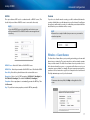
WEP
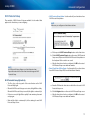
WEP is a basic encryption method, which is not as secure as WPA.
Note
If you select WEP as your Security Mode, each device in your
wireless network MUST use WEP and the same encryption and
shared key.
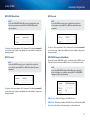
RADIUS Server Enter the IP address of the RADIUS server.
RADIUS Port Enter the port number of the RADIUS server. The default is 1812.
Shared Key Enter the key shared between the router and the server.
WPA Enterprise
This option features WPA used in coordination with a RADIUS server. (This
should only be used when a RADIUS server is connected to the router.)
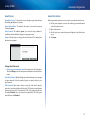
Encryption Select a level of WEP encryption, (40/64-bit 10 hex digits) or
104/128-bit (26 hex digits). The default is 40/64-bit (10 hex digits).
Passphrase Enter a passphrase to automatically generate the WEP key. Then
click Generate.
Key 1 If you did not enter a passphrase, enter the WEP key manually.
Note
If you select WPA Enterprise as your Security Mode, each device
in your wireless network MUST use WPA Enterprise and the same
shared key.
16