1
Configuration & Customization
Note:
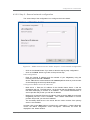
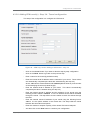
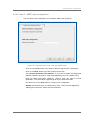
- These algorithms are all proven to be robust (the DES algorithm having a
shorter key is more vulnerable). In doubt, we recommend using AES, both
efficient and robust against attacks.
- Of course, the same algorithm and key must be chosen by both sides of the
tunnel.
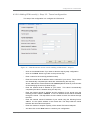
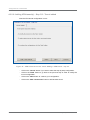
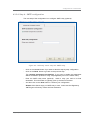
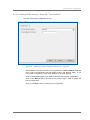
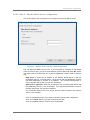
- Enter a pass phrase and click on the ‘Generate’ button to generate the crypt key.
Remark:
- As the tunnel security is based on a shared key, the same pass phrase (thus
the same crypt key) MUST be used.
- To facilitate your configuration, we provide you with a tool to generate a
64/128 bits key from a passphrase. You can either use this key generation
tool or enter a 64/128 bits key directly in hex format.
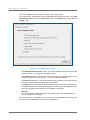
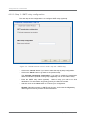
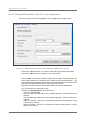
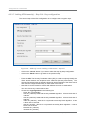
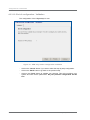
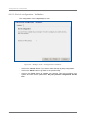
- Choose the authentication algorithm in the following list:
. None: No authentication algorithm
. hmac-md5 (128 bits): The UDgateway will use Hash Message Authentication
Code_Message Digest 5 algorithm to perform packet authentication.
. hmac-sha1 (160 bits): The UDgateway will use Hash Message Authentication
Code_Secure Hash Algorithm 1 to perform packet authentication.
Note:
- This algorithm is used to sign each packet, enabling a secure authentication
of each tunnel endpoint. In doubt, we recommend using hmac-md5. The
same algorithm and key must be chosen by both sides of the tunnel.
- Enter a pass phrase and click on the ‘Generate’ button to generate the
authentication key.
Warning about passphrase:
Using a simple passphrase makes your system vulnerable against attacks.
Attacker often use dictionary attacks to discover keys generated from simple
passphrases. We recommend that you use a passphrase that is at least 20
characters long, and that includes special characters such as digits or
punctuation marks.
REMARK:
- As the tunnel security is based on a shared key, the same passphrase (thus
the same crypt key) MUST be used.
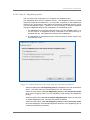
- If you wish to use an external appliance for encryption, choose 'none' as
encryption algorithm. This will create a non-encrypted UDP tunnel between
the two UDgateways. External appliances can then be added to encrypted
this UDP connection.
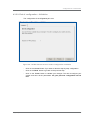
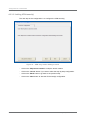
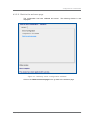
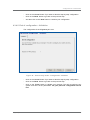
- And then click on the ‘Next’ button to continue your configuration.
UDgateway - Installation Guide
Ref: RD-IGGW050300-EN-02
39