1
LCD Display & Operation Panel
*The below image is for reference only. Actual image may differ.
Up Arrow Button
• Menu/Option Scroll Up
Down Arrow Button
• Menu/Option Scroll Down
Enter/OK Button
• Enter into the Menu
• Execute the Function
• Submit the Setting change
Escape Button
• Go back to the previous Menu
• Abort the current Function.
• Cancel the Setting change
Smart Copy Button
• Shortcut to make a copy under Smart mode
RAW Copy Button
• Shortcut to make a copy under RAW mode
Device Scan Button
• Shortcut to detect available devices
Shutdown Button
• Shortcut to perform Shutdown function of the system
F1
F2
F3
F4
USB Port Status Indicator
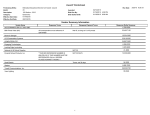
Every USB Port on your system comes with 2 colored LED lights which indicate the
current status. See the below reference chart to understand the LED status reading:
GREEN LED
Blinking
On
Off
Off
RED LED
Off
Off
Off
On
DESCRIPTION
USB Port is active in terms of reading/writing
USB Storage Device is connected on this port
USB Storage Device is disconnected on this port.
Error occurred during reading/writing
Page 4
unit’s